

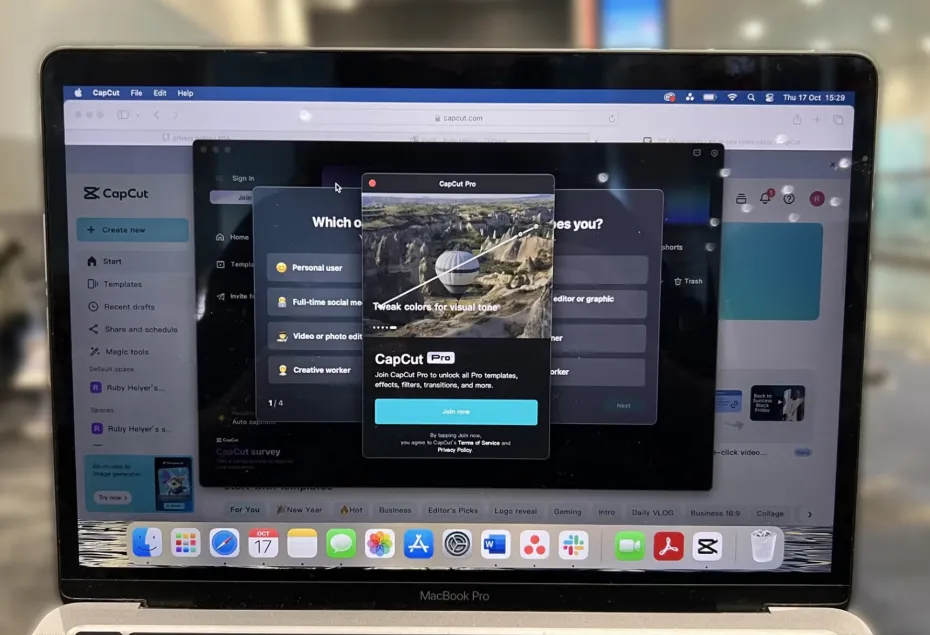
A VPN works by changing your virtual location online, but it is important to understand what it actually does before using one with CapCut. A VPN does not provide a CapCut Pro subscription or unlock any paid features on its own.
What Is a CapCut Pro VPN?
CapCut Pro VPN usually means using a VPN to access CapCut Pro or other CapCut services. A VPN connects your internet to a remote server, which can make it seem like your IP address is from another location. This can be helpful when traveling or when you want to check whether a service is available in a different region. However, the availability, cost, and payment options for CapCut Pro can depend on factors such as your location, platform, tax rates, and app-store settings. Changing your IP address does not necessarily alter your CapCut account or payment region.
Why Do Users Search for CapCut Pro VPN?
There are several reasons people look for VPN options related to CapCut:
- Regional availability: Certain features or promotions may be different in various countries.
- Traveling: A VPN can help maintain a stable connection when using unfamiliar networks abroad.
- Privacy: A VPN secures the data between your device and the server.
- Network restrictions: In some cases, a VPN can help bypass network blocks on certain services.
- Regional pricing: Users may find different CapCut Pro prices in different countries.
CapCut explains that pricing can vary based on location, device, tax, currency, and other local factors. These uses should not be mistaken for gaining premium features without a valid subscription.
Does a VPN Unlock CapCut Pro for Free?
No. A VPN does not automatically grant access to CapCut Pro. Premium features are linked to your CapCut membership and account, not just your IP address. CapCut Pro may include features such as advanced editing tools, premium templates, higher-resolution export options, AI tools, and additional cloud storage, depending on the subscription plan and region. If you want these features, the correct way is to subscribe through CapCut’s official purchase process. CapCut may offer subscription options through its website and supported apps, depending on the platform and region.
Can a VPN Change CapCut Pro Pricing?
Using a VPN alone is not a reliable way to change the price for CapCut Pro. The subscription price and currency can depend on factors such as your App Store or Google Play region, location, and payment settings. Changing your VPN settings alone does not necessarily change the payment currency shown at checkout. For this reason, users should check the actual subscription page before making a purchase, rather than relying on a VPN to show a different price.
Using a VPN on iPhone for CapCut
iPhone users may also search for UFO VPN iOS when looking for a VPN that works with their mobile apps.
A VPN can route your iPhone’s internet through a selected server, which can be useful on public Wi-Fi or while traveling. However, using a VPN with CapCut does not replace your App Store account and billing settings. If you buy CapCut Pro through iOS, the subscription is managed through Apple’s billing system. It is also important to use the same CapCut account that is linked to your subscription so that Pro benefits can sync correctly across all supported devices.
What to Check Before Using a VPN With CapCut
Before using a VPN to access CapCut, consider these factors:
- Ensure CapCut Pro is officially available in your region.
- Review the current subscription price directly within CapCut or on its official website.
- Keep the CapCut app updated.
- Use the correct account when checking your Pro membership.
- Do not assume that changing your IP address will give you access to paid features.
- Read the privacy policy of the VPN provider before connecting.
- Avoid unofficial modified versions of CapCut that claim to offer free Pro access.
CapCut also mentions that the availability of Pro features can be influenced by regional limitations, account problems, outdated apps, or syncing issues.
Is a VPN Necessary for CapCut Pro?
For the majority of users, a VPN is not needed to access CapCut Pro. If CapCut Pro is officially available in your area, you can usually subscribe directly and use the premium features through your account.
A VPN might still be helpful for general privacy, when traveling, or for network-related reasons. It should be seen as a tool for networking and privacy, not as a way to gain premium CapCut features without paying for a subscription.
FAQs
Can a VPN unlock CapCut Pro?
No. A VPN changes your network connection or your apparent location but does not provide a Pro subscription.
Does CapCut Pro work on iPhone?
Yes. CapCut Pro can be bought and used through the iOS app in regions where it is available.
Can a VPN change CapCut’s subscription price?
Not reliably. CapCut states that the currency used for payments is linked to the region of your App Store or Google Play account.
Is CapCut Pro free with a VPN?
No. A VPN does not make the paid subscription free.
Conclusion
A CapCut Pro VPN can be helpful in specific networking or privacy situations, especially when traveling or using restricted networks.
However, it should not be considered a shortcut to get free CapCut Pro features. Access to the subscription, pricing, and payment choices depends on CapCut, your account, and the region of your app store. For a secure and reliable experience, use the official CapCut app and valid subscription options. Use a VPN only when you genuinely need its networking or privacy benefits.

Pun enthusiast, wordplay wizard, and the mastermind behind Funnnypuns.com. David turns everyday language into laugh-out-loud moments—one pun at a time!




Leave a Comment